What is Mignon UI?
Mignon UI is a private, offline-first client for local AI roleplay and storytelling. It allows you to create multi-character lobbies, customize aesthetics with retro themes, and maintain long-term memory across sessions.
Chat with multiple AI characters in styled lobbies. Zero telemetry, custom themes, and complete control over your models.
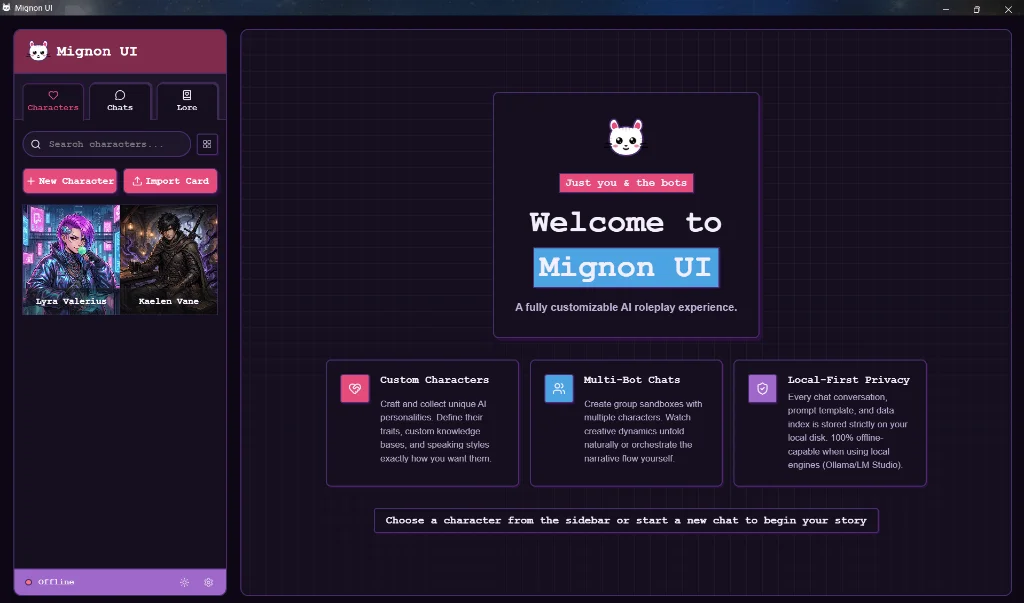
A clean, distraction-free desktop client engineered to get out of the way of your stories.
Chat with multiple characters in the same room. Characters take turns naturally, talking to you and each other based on their personality and context. You can also play as any character card.
Your logs, characters, and API keys are stored in a secure local database directly on your device. Zero telemetry.
Drag and drop standard V2 PNG character cards or JSON cards to import characters instantly.
Long roleplays stay consistent. The client summarizes key story moments into chapters and automatically retrieves relevant context so characters never lose track of the plot.
Get the latest packages for your platform. Fully offline, standalone client.
Supported on Windows 10 and 11. Run completely locally or connect to local/cloud backends.
Universal binary supporting both Apple Silicon (M1/M2/M3) and Intel Core Macs.
Compatible with Ubuntu, Debian, Arch Linux, and other major distributions.
chmod +x Mignon-UI*.AppImage.
Connect to any local or cloud provider. Running locally guarantees unlimited, free, and private chat.
Run open-weights models locally in one command. Mignon UI links automatically.
ollama run llama3.1
Default Endpoint: http://127.0.0.1:11434/v1
Optimized for limited hardware (e.g. 6GB VRAM GPUs). Enable SmartCache and ContextShift.
Enable: ContextShift + SmartCache + Q4 KV Cache
Default Endpoint: http://127.0.0.1:5001/v1
Everything you need to know about Mignon UI and local AI roleplay.
Mignon UI is a private, offline-first client for local AI roleplay and storytelling. It allows you to create multi-character lobbies, customize aesthetics with retro themes, and maintain long-term memory across sessions.
Yes, Mignon UI is 100% free, open-source (AGPL-3.0), and offline-first. Your chats, character cards, and API keys are stored locally on your device with zero telemetry.
Mignon UI works out of the box with Ollama, Kobold.cpp, LM Studio, LocalAI, vLLM, and any server exposing an OpenAI-compatible API endpoint.
Yes! You can drag and drop standard V2 PNG character cards or JSON cards to import characters, personalities, scenarios, and greeting messages automatically.